Interlibrary Loan
Need a book, article, or other resource that UH Libraries doesn’t have? Use interlibrary loan (ILL) to request materials from another library.
What Can I request?
Books, articles, book chapters scans, theses and dissertations, music scores, audiovisual materials, newspapers and microforms, and patents.
Who Can Use ILL?
UH students, faculty, staff, and alumni are eligible for interlibrary loan services. Students, faculty, and staff must log in using their CougarNet ID and password.
How Long Does It Take?
Digital Materials
Usually delivered within 1 business day.
Physical Materials
Usually ready for pickup within 4–7 business days.
Delivery times vary depending on availability and the distance of the lending library.
Request an Item
-
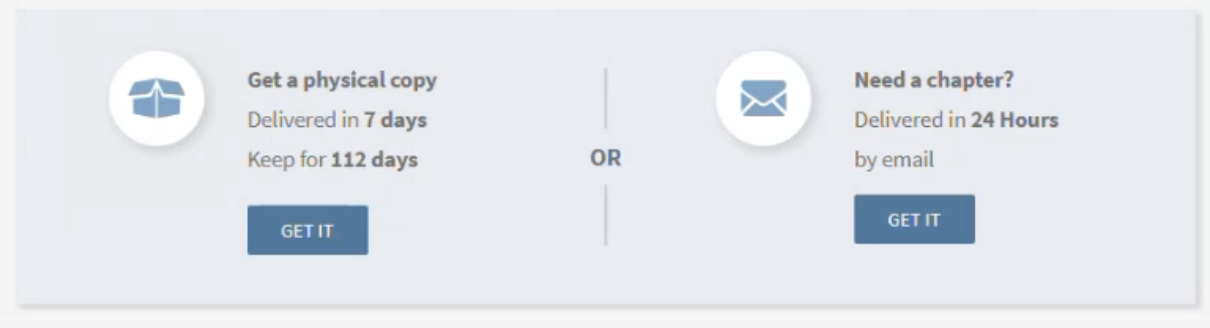
While searching the library online, you may find materials that are available through interlibrary loan (ILL). In the item record, look for the Get it from other locations heading. Depending on the material, you may be able to request a physical copy or a scanned chapter.
Click GET IT to begin your request.
-
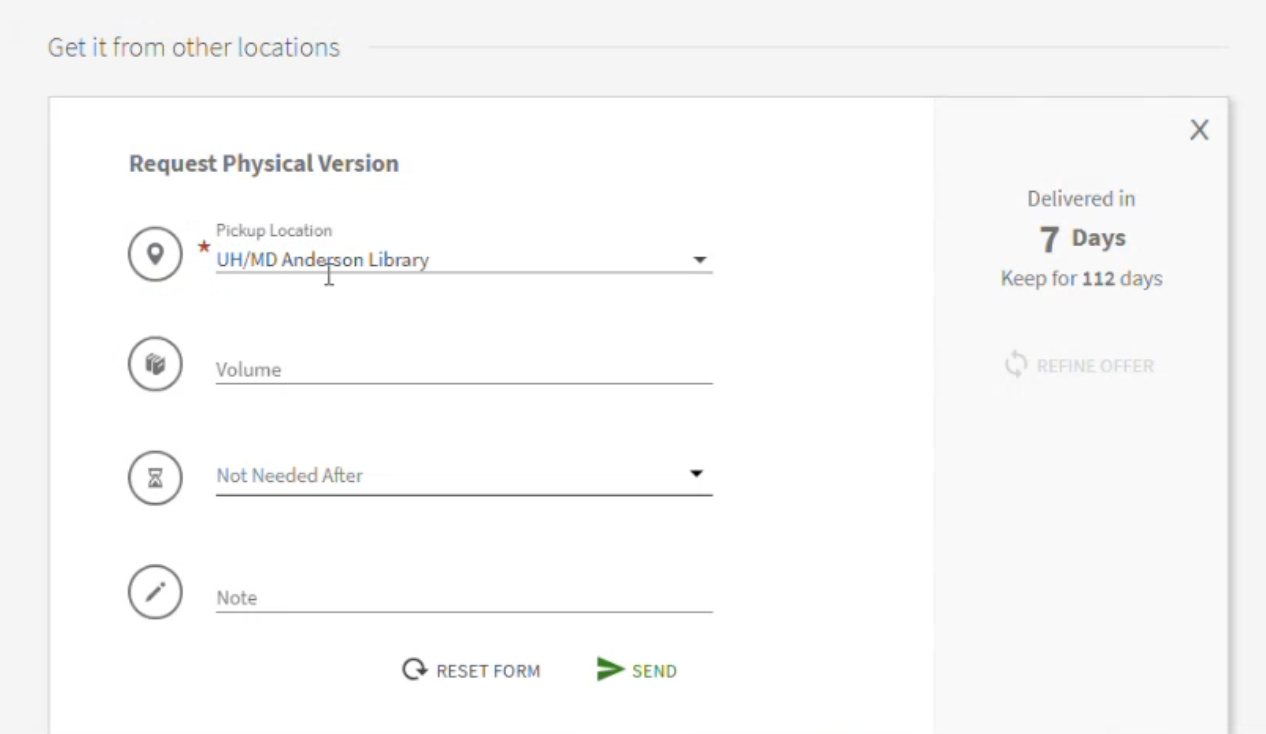
If requesting a physical copy, this form will pop up. Please select the location you’d like to pick up the item from, fill out any other fields, and click SEND.
-
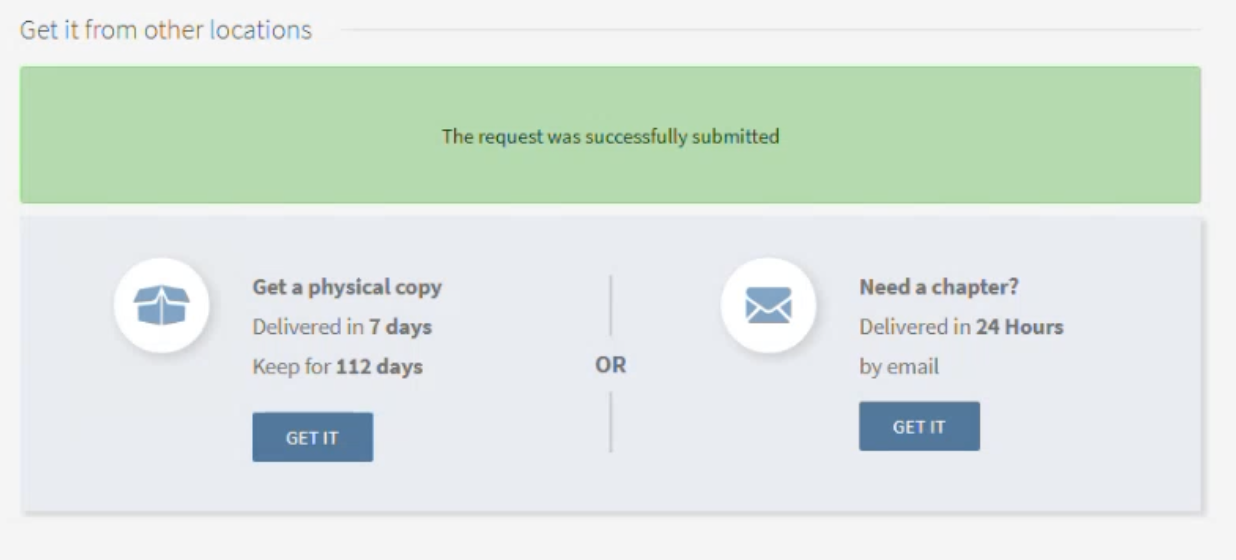
When completing a request, you’ll be notified that the request was successfully submitted.
Receiving or Picking up Your Item
Physical Material (Books)
After UH Libraries has received and processed the item, you’ll be notified by email that it’s ready for pickup. You can then visit the service desk at the pickup location you selected to receive the item.
Digital Material (Book Chapter Scans, Scanned Articles)
If you requested digital material, you’ll receive an email notification with a link to the material once it’s ready.
Returning or Renewing an Item
For physical materials, each item will have a due date shown both on the front of the book and in your library account. The item must be returned back to the library by this date.
If you’d like to keep the item longer, some items may be eligible for renewal. If your item is eligible, please log in to your account on the library search platform to request a renewal.
Cancelling a Request
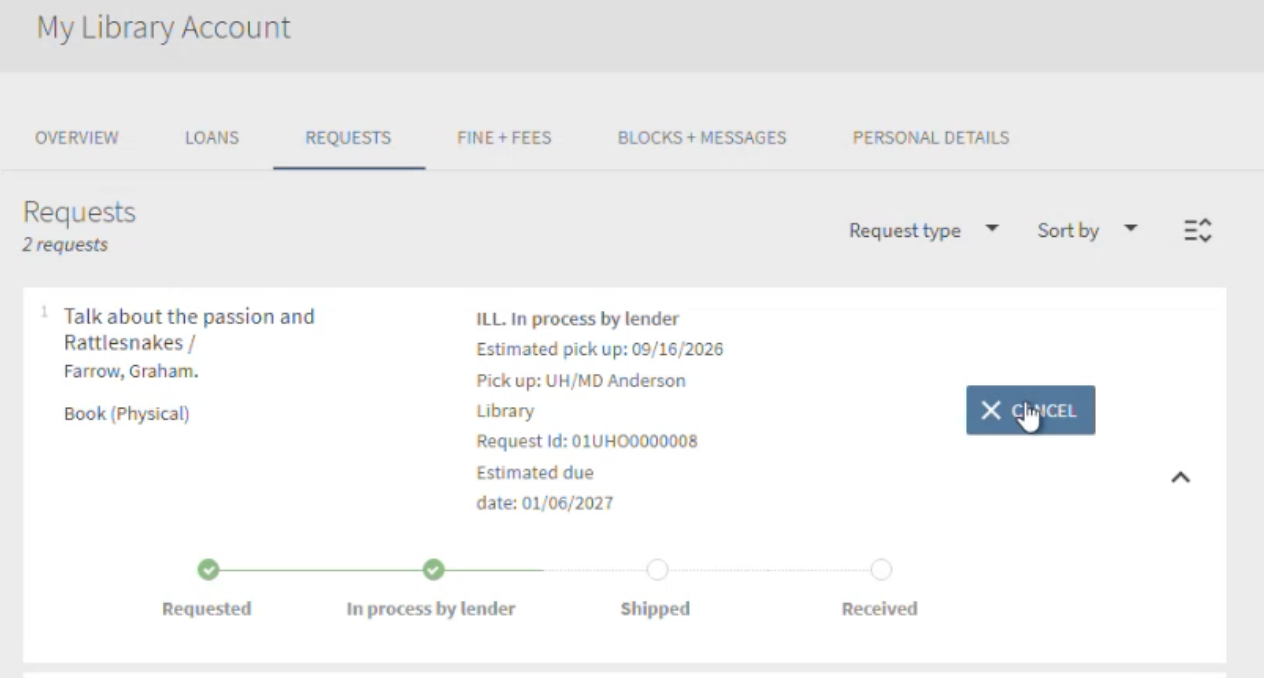
If you’d like to cancel a request before receiving it, you can log into your account, navigate to your account screen, click Requests, and click Cancel on the request you’d like to cancel.
Document Delivery
Faculty and graduate students can use document delivery to request articles and book chapters scanned and delivered electronically.
You can use the same process described above to request scans of articles and book chapters that we own that are not otherwise available electronically.
Contact ILL
Interlibrary Loan Department
713-743-9720
[email protected]
Our address:
University of Houston
Interlibrary Loan
MD Anderson Library
4333 University Drive
Houston, TX 77204-2000