Interlibrary Loan
If UH Libraries doesn’t have what you need, we can often get it for you from another library. Interlibrary loan (ILL) lets you borrow books, and get scans of articles and book chapters, from hundreds of libraries in our sharing network and beyond.
What’s New?
Since October 26, 2026, UH Libraries uses a new interlibrary loan service that is built into library search. Here is what that means for you:
- One search, one login: If another library can lend an item, library search shows you how to get it, right on the item record.
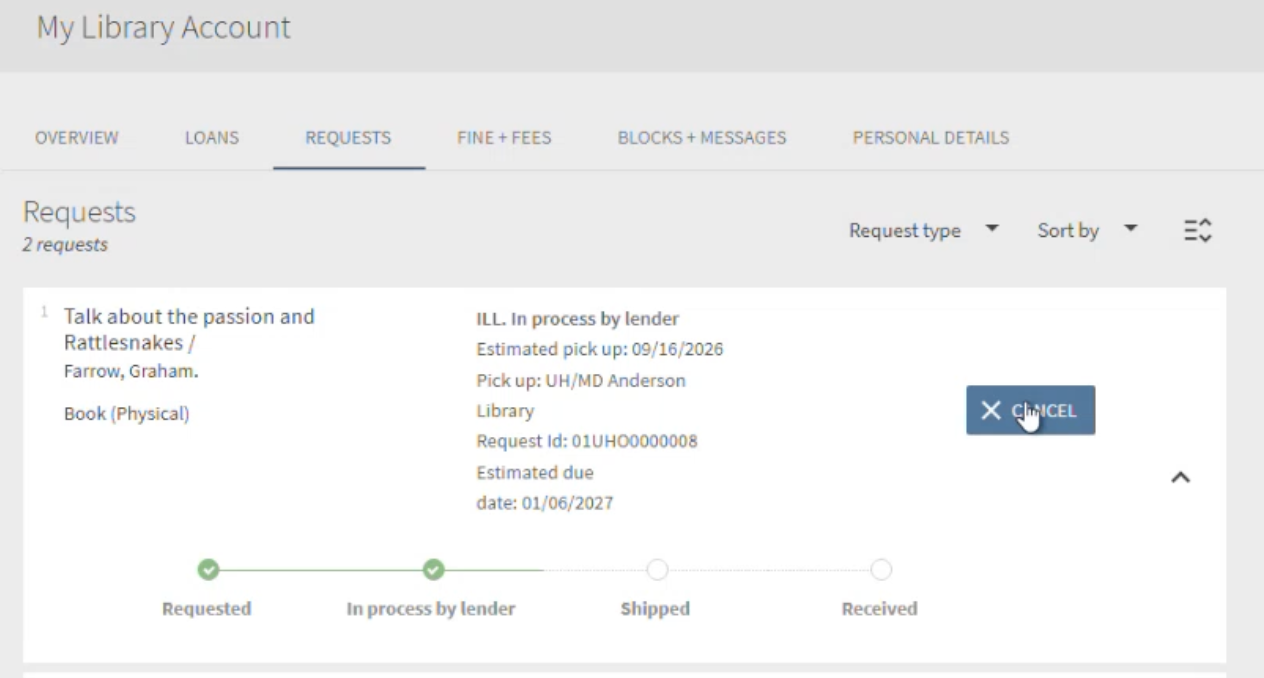
- Everything in one account: Your ILL requests appear in My Library Account with a progress tracker and estimated pickup date. Physical items check out to your UH account; due dates display in your account along with UH items.
What Can I Request?
| You can Request | Notes |
|---|---|
| Books | Borrowed and picked up at the UH Libraries location you choose |
| Journal articles & book chapters | Delivered electronically, as a link sent by email. |
| E-books | Some e-books can be lent in full and are delivered as a download link for a set period |
| Theses and dissertations | Print or electronic, depending on the lending library |
| Music scores | Usually as physical loans |
| Media / audiovisual materials | Depending on the lending library’s policies |
| Newspapers and microform | Often as scans or physical loans, depending on the item |
| Patents | Usually delivered electronically |
Who Can Use ILL?
UH students, faculty, staff, and alumni are eligible for interlibrary loan services. Students, faculty, and staff must log in using their CougarNet ID and password.
How Long Does It Take?
Digital Materials
Usually delivered within 1 business day.
Physical Materials
Usually ready for pickup within 4–7 business days.
Delivery times vary depending on availability and the distance of the lending library.
Request an Item
Before You Request
- Check whether UH already has it: If any UH campus has copies, you’ll get links to request from them; it’s faster than ILL.
- Textbooks: ILL is not a good way to get textbooks. Course textbooks are always in high demand, many libraries don’t collect or lend them, and the due date often doesn’t cover the whole semester. We can’t guarantee renewals.
Requesting an Item
-
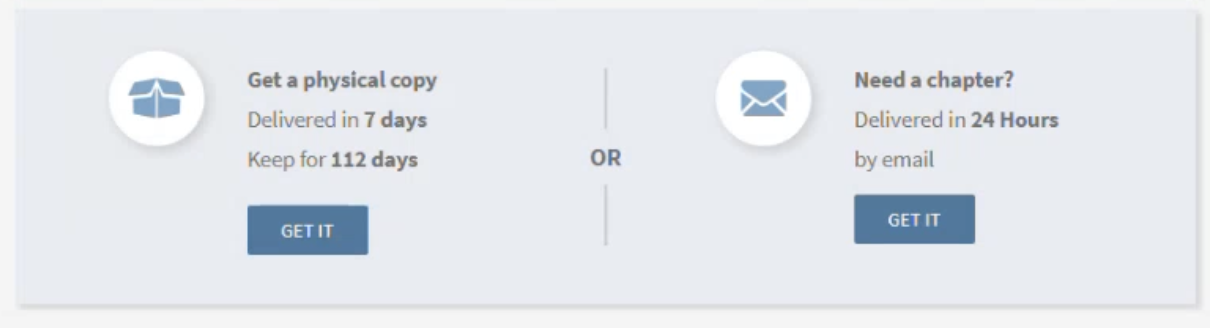
If you don’t find an item while searching the library online, use the “Click here to expand your search” link. If the item is owned by other libraries in the new ILL network, an item record will appear; click on “Get it from other libraries,” then click on the same link inside the detailed record. You may be able to request a physical or digital copy or a scan of an article or chapter.
Click GET IT to send your request.
-
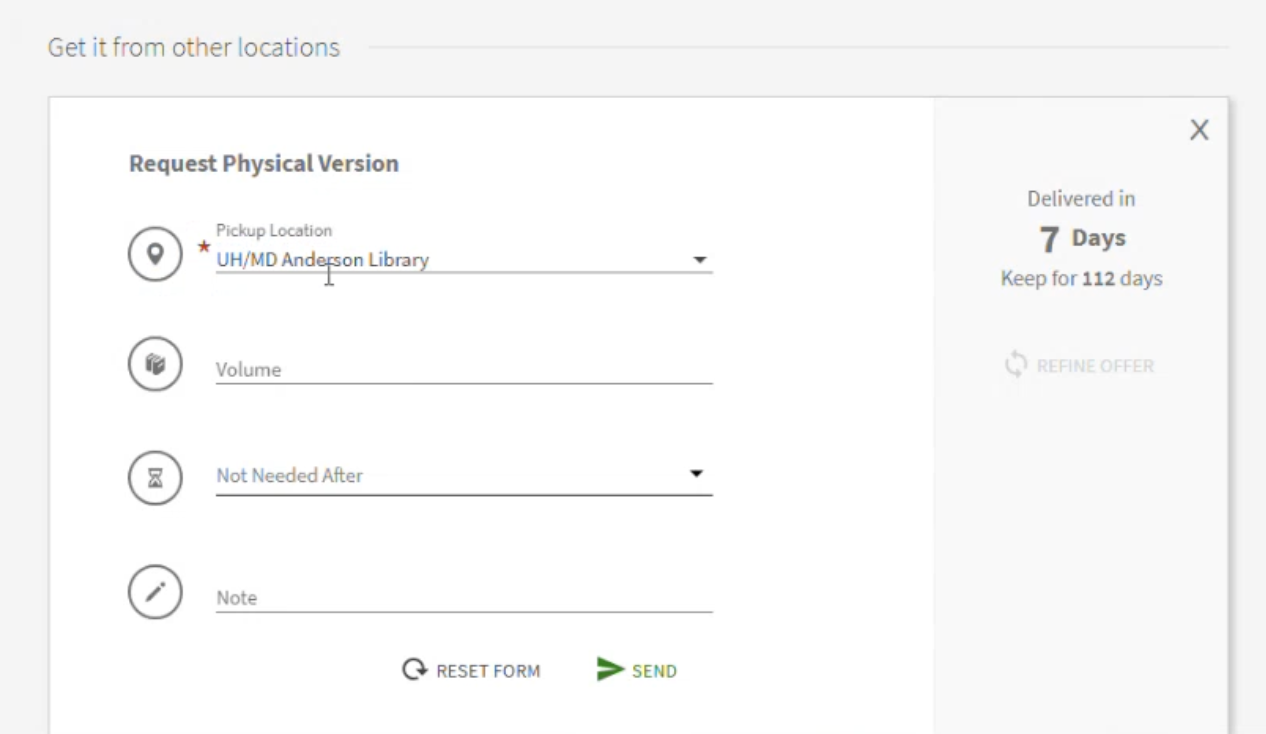
If requesting a physical copy, this form will pop up. Please select the location you’d like to pick up the item from, fill out any other fields, and click SEND.
-
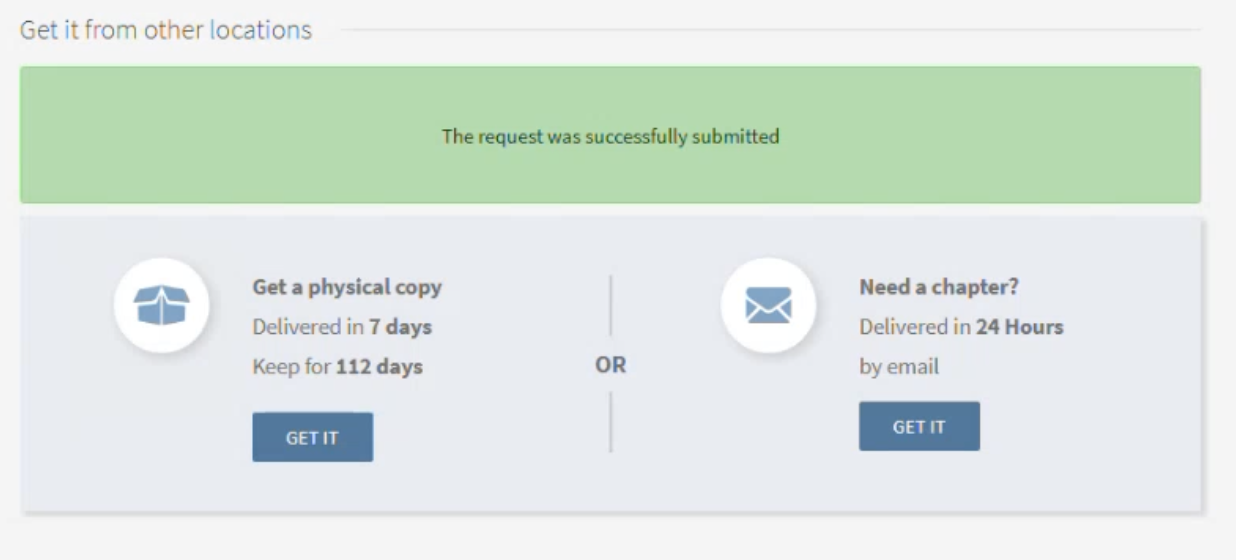
When completing a request, you’ll be notified that the request was successfully submitted.
Can’t Find It in Library Search?
If the item doesn’t appear in library search, even after selecting Expand My Results, use the ILL request form. You’ll find it linked under Still didn’t find what you need? in library search.
- Enter as much citation information as you can: title, author, year, ISBN or ISSN, and the page range for articles or chapters.
- Sign in and submit the form.
- ILL staff review form requests before sending them, so they will take a little longer.
Receiving or Picking up Your Item
Physical Material (Books)
After UH Libraries has received and processed the item, you’ll be notified by email that it’s ready for pickup. You can then visit the service desk at the pickup location you selected to receive the item.
Digital Material (Book Chapter Scans, Scanned Articles)
If you requested digital material, you’ll receive an email notification with a link to the material once it’s ready.
Returning or Renewing an Item
For physical materials, each item will have a due date shown both on the front of the book and in your library account. The item must be returned back to the library by this date.
If you’d like to keep the item longer, some items may be eligible for renewal. If your item is eligible, please log in to your account on the library search platform to request a renewal.
Cancelling a Request
If you’d like to cancel a request before receiving it, you can log into your account, navigate to your account screen, click Requests, and click Cancel on the request you’d like to cancel.
Document Delivery
Faculty and graduate students can use document delivery to request articles and book chapters scanned and delivered electronically.
You can use the same process described above to request scans of articles and book chapters that we own that are not otherwise available electronically.
Contact ILL
Interlibrary Loan Department
713-743-9720
[email protected]
Our address:
University of Houston
Interlibrary Loan
MD Anderson Library
4333 University Drive
Houston, TX 77204-2000